Power Indicator Light

Never get caught in the dark with the Energizer Digital Power Indicator Light! The easy-to-use power indicator display gives you comfort, confidence & flexibility as you know how much run time you have left AND can adjust the brightness to maximise the run time!

OPERATING INSTRUCTIONS

HOW TO USE :

DIGITAL DISPLAY:

  • As soon as the power button is pressed, the digital display will turn on.

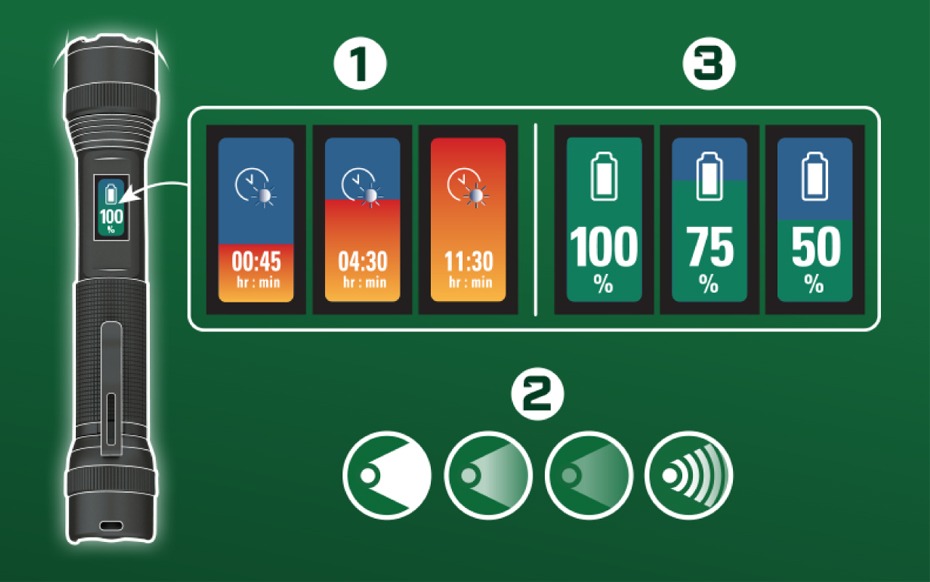
1. RUNTIME INDICATOR:

  • The run time indicator will appear first.
  • This shows how many hours and minutes of operating time remain in the current mode selected.
  • A lower mode may be selected to extend runtime.
  • Note: The operating indicator is unavailable in emergency strobe mode.

3. BATTERY POWER INDICATOR:

  • The battery power indicator will appear ~5 seconds after the operating indicator appears in the desired mode.
  • This shows the battery percentage remaining.
  • A lower mode may be selected to extend battery life.
  • Both indicators will update as you click or half press through high, medium, and low modes.
  • After both indicators have appeared in the desired mode, the screen will go dark.

2. HOW TO USE MODES:

USING HALF PRESS:

  • Half press once to turn on/high mode.
  • Half press twice for medium mode.
  • Half press three times for low mode.

USING FULL PRESS: (Light will turn off in-between modes)

  • Press once for on/high mode.
  • Press three times for medium mode.
  • Press five times for low mode.

TO ACCESS THE EMERGENCY STROBE:

  • Press button halfway down very quickly twice. On the second press continue to fully push it down to keep the strobe on.
  • Once the run time has been met, the light will enter a dimmed mode. Display will indicate this with a dimmed orange screen displaying a low battery. Once the battery is fully depleted, the dimmed display will flash red every minute. Recharging is required.

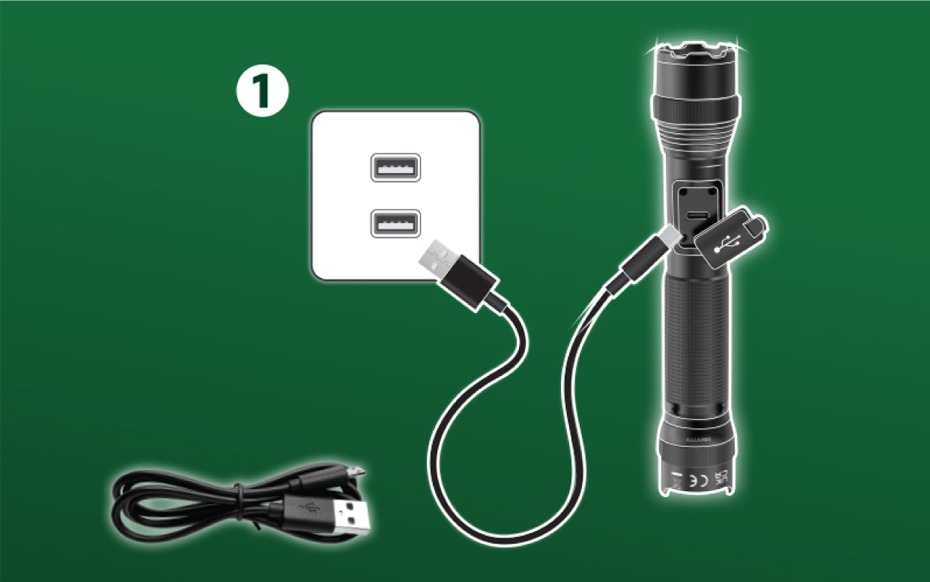
1. HOW TO CHARGE :

  • Charge with included USB​
  • Rechargeable battery is not user replaceable. ​
  • To charge, use the included USB cord and plug light into any USB charging port. ​
  • Light may be used while charging, performance may vary.

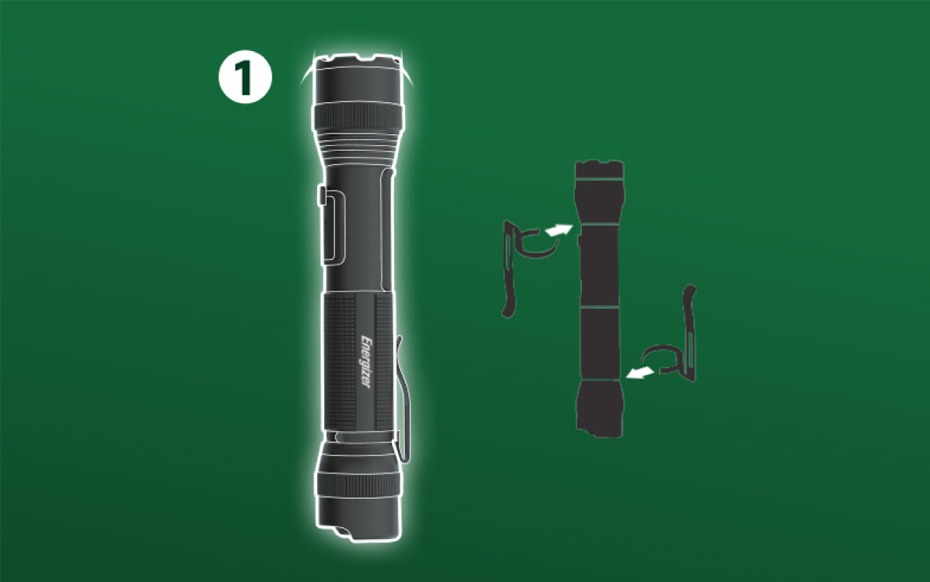
REMOVEABLE CLIP:

  1. Removeable clip can be used in both orientations.